Rabu, 23 Desember 2009
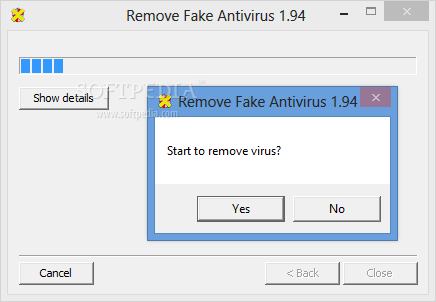
Tools Menghilangkan AntiVirus Palsu


Kamis, 12 November 2009
Senin, 12 Oktober 2009
How to Make Your Computer Blazingly Fast (part01)
There are probably a lot of great tweaks and performance hacks that I’ve missed here, so feel free to chime in with comments! Enjoy!
1. Defragment your computer hard disk using free tools like SmartDefrag from IoBit
Source: http://www.iobit.com/iobitsmartdefrag.html
2. Clean up harddisk being taken up by temporary files, the recycle bin, hibernation and more. You can also use a tool like Treesize .
3. Load up Windows faster by using Startup Delayer a free program that will speed up the boot time of Windows by delaying the startup of programs.
4. By default, the size of the paging file is controlled by Windows, which can cause defragmentation. Also, the paging file should be on a different hard drive or partition than the boot partition. Read on this page.
5. In Windows XP and Vista, the Windows Search indexing service is turned on for all local hard drives.
Here’s how you do it: - First, open My Computer and right-click on your local drive (C, D, etc) and choose Properties.
- On the General tab, you’ll a checkbox at the bottom called “Allow Indexing Service to index this disk for fast file searching”. Go ahead and uncheck that and you’ll get a popup dialog box asking whether you want to apply these settings to all files and folders or just to the root of the drive:
- If you get any Access Denied errors along the way, just go ahead and click Ignore All because it’s probably just system files that are currently in use.
6. If you don’t care about all the fancy visual effects in Windows, you can turn them off by going to Performance Options.
Here’s how to go about it: - Right-click on My Computer and click on Properties. This will bring you to the System Properties dialog. Go ahead and click on the Advanced tab.
- Next, click on the Settings button underneath the Performance heading. This will get you to the Performance Options.
- The default setting in Windows XP is Let Windows choose what’s best for my computer, and if your computer is too slow, Windows should automatically choose Adjust for best performance, but unless you are running an ENIAC, there is no way in hell Windows is going to choose that option! Anyway, as you can see from the list, you can also manually uncheck items one by one, which allows you to get some of the nice things from XP’s new interface, but not everything
7. Optimize Windows boot time using bootviz from microsoft. And Read this page for tutorial.
8. Clean your registry by removing broken shortcuts, missing shared DLLs, invalid paths, invalid installer references and more. And Im using CCleaner for cleaning registry of MyComp.
9. If you have a deeper spyware infection that is very hard to remove, you can use HijackThis.
10.Tweak Windows XP and Tweak Windows Vista / Mz Vista Force with free program.
Some Tools for Create Bootable USB
There might be some paid tools that help to create a bootable USB, but these tools are really helpful as one can create a bootable USB in a few steps. All these utilities are absolutely free to download and use. Last version via Torrent: 0.4.0021 beta Last version via FTP: 0.4.0021 beta
1. Unebootin: This is the best and the ultimate tool to create a bootable USB to install Windows 7, Vista, or XP. With this tool one can create a bootable USB pen drive with a single-click.
Download for Linux
Click to download via Torrent protocol. If you have problems use one of links below
Click to download via FTP protocol from download server #1
Click to download via FTP protocol from download server #2


Tips n Trik Memaksimalkan Kinerja RAM
RAM pada komputer anda sudah besar? Tapi masih lemot?? berikut tips untuk memaksimalkan RAM anda!! *) Aktifkan mode PAE pada Windows XP : 1. Klik kanan pada My Computer dan pilih “Properties” 2. Buka tab Advanced dan di bawah tab Startup and Recovery, di Settings dan klik “Edit” Ini akan membuka notepad yang berisi file boot.ini. Dibawah tulisan “[operating systems]” tertulis baris: multi (0) disk (0) rdisk (0) partition (2) WINDOWS = “Microsoft Windows XP” / noexecute = OptIn / fastdetect coba ubah menjadi: multi (0) disk (0) rdisk (0) partition (1) WINDOWS = “Microsoft Windows XP” / noexecute = OptIn / PAE Simpan file tadi dan keluar. *) Aktifkan mode PAE pada Windows Vista :
Ada beberapa tips yang bisa kita lakukan untuk memaksimalkan kapasitas RAM pada Operatyng System.
Berikut adalah salah satunya :
1. Tekan Windows key + R, kemudian ketikan cmd terus tekan enter
2. Tekan Ctrl + Shift + Enter untuk mengeksekusi prompt sebagai administrator
3. Enter command Bcdedit / Set SAP forceenable dan tekan enter.
*) Aktifkan mode PAE pada Linux Ubuntu :
1. Buka terminal/konsol dan jalankan perintah untuk install sebuah kernel PAE: sudo apt-get update sudo sudo apt-get install linux-headers-server linux-image-server linux-server
2. Setelah installasi, restart system dengan new kernel yang baru: sudo reboot.
Selasa, 06 Oktober 2009
Cek Windows Asli / Palsu
Sekarang Microsoft sudah memperketat keamanannya sehubungan dengan pembajakan lisensi Windows nya...dengan mengeluarkan Windows Genuine Validation.
Berikut alat untuk mengetahui Lisensi Windows anda apakah asli (Genuine) atau Blocked atau Invalid product..
Windows Validation Cek Tool
Dan ini alat untuk mengganti kode product / lisensi anda menjadi 100% asli tapi palsu.. ^_^
KeyFinder
BELILAH CD WINDOWS YANG ASLI!!
Selasa, 25 Agustus 2009
DuaL YahooMessenger only use Registry Editor

Step 1: click Start, choose Run n then type Regedit
 Step 2: click HKEY_CURRENT_USER

Step 3 : click Software, then...

Step 4 : click [+]yahoo, will open root of yahoo, then click pager, in there u will see much folder, wat must u doing now? click folder Test...

Step 5: in there u only see (Default) to make same with pict,
click right mouse button then will appear the words "New", choose DWORD value.
then rename it with "plural" then change the value with 1 (double click it)
Rabu, 08 April 2009
Solution Boot Slow at Startup Windows
Why Slow shutdown?
In Windows XP certain registry keys are responsible for determining how long windows will wait before shutting down all the opened programs and services after the shutdown command has been given by the user.
Lets see how we can fix the slow shutdown in windows XP
Fix:
You need to optimise some registry keys values in order to speed up the shutdown process.
1. Open Start >> Run and type regedit and press enter
2. Now navigate to ‘HKEY_CURRENT_USER\Control Panel\Desktop\’
In this entry, you will see a registry key named WaitToKillAppTimeout .
Double click on it and set its value to 1000 , this value is the time in milliseconds for which the windows waits before all the processes and services are closed.
This way you have set it to 1 second.
Not only this, there are some other registry settings set by default due to which Windows XP will prompt the user for input if there are one or more applications still not closed or not responding. This increases the shutdown time due to no response from the user.
So, you should also change that registry key settings value.
3. Navigate to ‘HKEY_CURRENT_USER\Control Panel\Desktop’
Double click on the registry key ‘AutoEndTasks.’ and set its value to 1
4. That is all, Trouble Fixed.
Now restart your system, you will see a considerable reduction in the shutdown time this time.
Tip: If modifying registry seems cumbersome to you can simply create a instant shutdown shortcut on your desktop.
1. Right click on your desktop and select New >> Shortcut
2. copy the following command: %windir%\System32\shutdown.exe -s -f -t 00
3. Name your shortcut as instant shutdown
4. You can use this created shortcut for fast shutdown.
This will forcibly end all running tasks and shutdown instantly.
Warning: Make sure to save any unsaved work before you shutdown using these tips. It may cause loss of unsaved work.